


With over $1 billion in Bitcoin lost to hacks and exchange failures from 2017-2024, choosing the best wallet for bitcoins has never been more critical.
The cryptocurrency landscape has evolved dramatically, and so have the security threats targeting digital assets.
Whether you’re a seasoned Bitcoin holder or just starting your crypto journey, selecting the right wallet can mean the difference between secure storage and catastrophic loss.
At its core, a crypto wallet manages your private keys—unique cryptographic codes that grant access to your funds and authorize transactions on blockchain networks.
Think of your public key as similar to a bank account number, which you can share to receive funds, while your private key acts like the password to your bank account, emphasizing both security and accessibility.
In this comprehensive guide, we’ll examine the top Bitcoin wallets available in 2025, breaking down their security features, costs, and usability.
You’ll discover the key differences between hardware wallets and software wallets, learn essential security practices, and get step-by-step setup instructions.
By the end, you’ll have all the knowledge needed to make an informed decision about protecting your Bitcoin investments.
Top Bitcoin Wallets at a Glance
Before diving deep into individual reviews, here’s a quick comparison of the five best Bitcoin wallets currently dominating the market:
|
Wallet |
Type |
Price |
Security Rating |
Supported Assets |
Key Feature |
|---|---|---|---|---|---|
|
Hardware |
$149 |
5/5 |
5,500+ |
EAL6+ secure chip |
|
|
Exodus |
Software |
Free |
4.5/5 |
1M+ |
Built-in exchange |
|
Coinbase Wallet |
Software |
Free |
4/5 |
1,000+ |
Beginner-friendly |
|
Hardware |
$49 |
5/5 |
1,000+ |
Open-source |
|
|
Best Wallet |
Software |
Free |
4.5/5 |
60+ blockchains |
MPC security |
Some wallets in this list offer full support for a wide range of blockchains, advanced transaction management, and robust security features, catering to the diverse needs of cryptocurrency users.
The Ledger Nano X stands out as our top recommendation for maximum security, featuring military-grade encryption and offline storage capabilities. For users prioritizing convenience, Exodus offers the best balance of features and usability.
Buy Ledger Nano X Now – Most Secure Option
Best Bitcoin Wallets Reviewed
Hardware Wallets (Most Secure)
Hardware wallets represent the gold standard for Bitcoin storage, keeping your private keys offline and away from online threats.
These physical devices offer maximum security for long-term Bitcoin holding and are essential for anyone storing significant amounts of cryptocurrency.
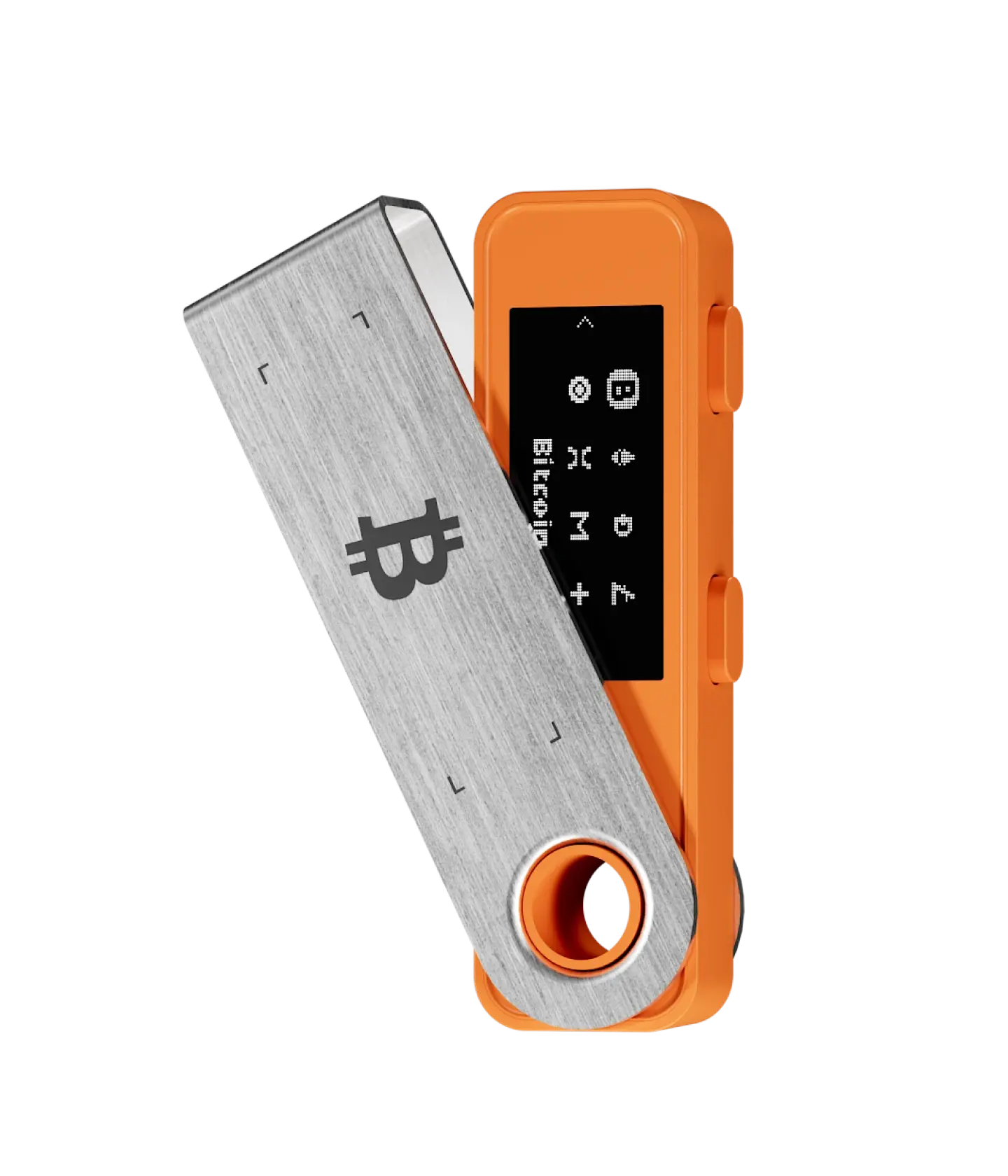
Ledger Nano X ($149)
The Ledger Nano X has established itself as the premium choice for serious Bitcoin holders.
This hardware wallet supports over 5,500 cryptocurrencies and features a CC EAL6+ secure element chip—the same security level used in credit cards and passports.
Pros:
-
Industry-leading security with secure element chip
-
Bluetooth connectivity for mobile use
-
Supports massive range of digital assets
-
Excellent Ledger Live software integration
-
Battery lasts several hours for mobile transactions
Cons:
-
Higher price point at $149
-
Bluetooth connectivity introduces potential attack vectors
-
Must use Ledger Live for full functionality
-
Some users prefer fully air-gapped solutions
The Nano X excels in multi wallet management, allowing users to manage multiple cryptocurrencies from one device.
Its integration with DeFi protocols and ability to stake cryptocurrencies make it ideal for active crypto users who want secure storage without sacrificing functionality.
Trezor One ($49)
Trezor pioneered the hardware wallet industry and remains a top choice for budget-conscious users seeking maximum security.
The Trezor One offers open-source firmware, providing transparency that many security experts prefer.
Pros:
-
Most affordable hardware wallet option
-
Completely open-source design
-
Strong community support and auditing
-
Works with multiple third-party wallets and is compatible with other crypto wallets, giving users flexibility to manage assets securely across different platforms
-
No secure element dependency
Cons:
-
Limited cryptocurrency support compared to Ledger
-
No touchscreen interface
-
Lacks some modern features like Bluetooth
-
Doesn’t support all major coins (missing Cardano, Solana)
The Trezor One represents an excellent entry point into hardware wallet security.
Its open-source nature means security researchers worldwide can audit the code, providing additional confidence in its security model.
Tangem Wallet ($50)
Tangem takes a unique approach with its credit card-sized hardware wallet that uses NFC technology instead of USB connections.
This innovative design eliminates the need for batteries, cables, or complex setup procedures.

Pros:
-
Ultra-portable credit card form factor
-
No battery required—powered by NFC
-
Water and dust resistant design
-
EAL6+ certified secure chip
-
Simple tap-to-pay functionality
Cons:
-
Limited cryptocurrency support
-
Requires NFC-enabled smartphone
-
Newer technology with smaller user base
-
Less integration with third-party apps
Tangem’s innovative approach makes it perfect for users who want a hardware wallet that’s always with them.
The card format fits easily in a standard wallet, making it the most portable cold wallet solution available.
Software Wallets (Most Convenient)
Software wallets offer the convenience of quick access to your Bitcoin for daily transactions and trading activities. While they don’t provide the same level of security as cold wallets, modern software wallets implement advanced security features that make them suitable for smaller amounts and regular use.
Hot wallets are software-based and connected to the internet, making them convenient for storing and accessing Bitcoin quickly.
Exodus Wallet
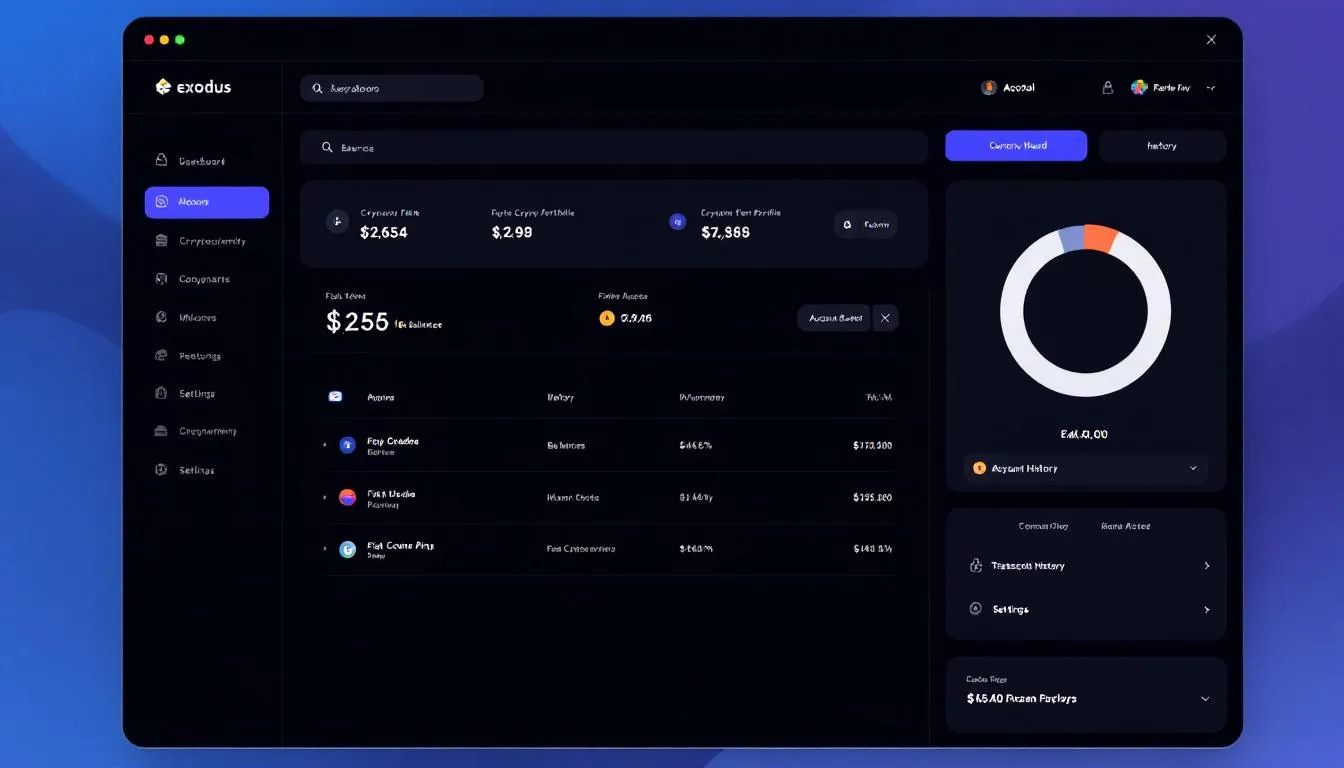
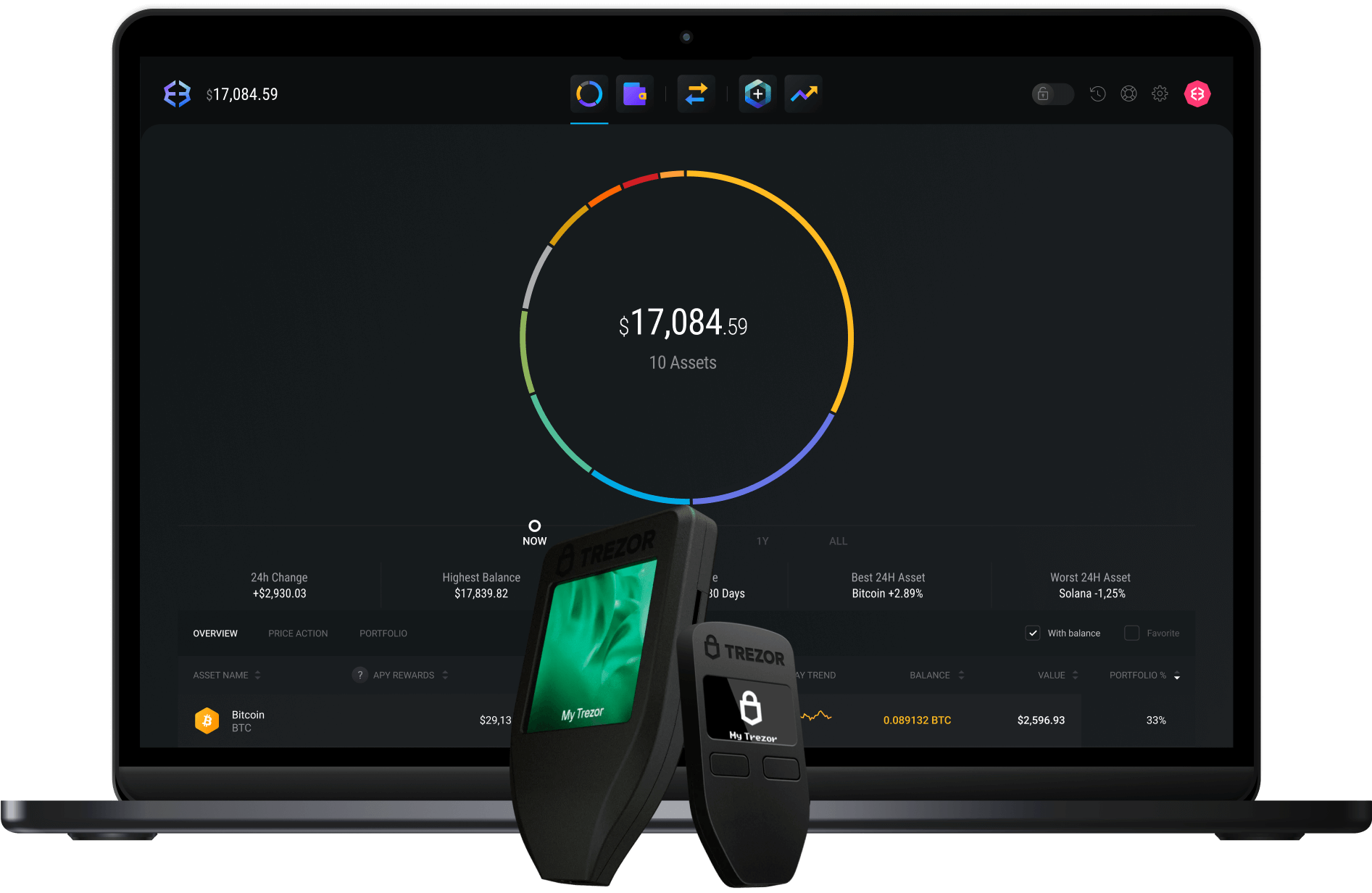
Since 2015, Exodus has built a reputation as the most user friendly interface in the cryptocurrency space. This software wallet supports over one million assets across 50+ blockchain networks, making it ideal for diverse crypto portfolios.
Pros:
-
Exceptional user interface design
-
Built-in crypto exchange with competitive rates
-
Native Trezor integration for enhanced security
-
Supports NFTs and digital collectibles
-
Available on multiple platforms including mobile and desktop
Cons:
-
Not open-source software
-
Limited transaction fee customization
-
Higher exchange fees compared to dedicated exchanges
-
Requires internet connection for full functionality
Exodus supports Lightning Network transactions, enabling fast and low-cost Bitcoin payments. The wallet’s integration with Trezor hardware wallets provides an excellent balance between convenience and security.
Best Wallet
Best Wallet represents the new generation of mobile wallets, utilizing multi-party computation (MPC) technology to eliminate the traditional risks associated with seed phrases.
This non custodial wallet supports over 60 blockchain networks with built-in DeFi functionality. Users can earn rewards through integrated staking options, allowing them to passively grow their crypto assets.
Recent updates have delivered improved performance, including faster transactions and a smoother overall user experience. Users of Best Wallet can stake cryptocurrencies to earn rewards from trusted DeFi partners.
Pros:
-
MPC security removes seed phrase vulnerabilities
-
Low transaction fees across supported networks
-
Excellent multi-chain support
-
Built-in staking and DeFi features to earn rewards
-
Intuitive mobile-first design
-
Improved performance with recent technology enhancements
Cons:
-
Relatively new platform with limited track record
-
Primarily mobile-focused experience
-
Fewer third-party integrations
-
Limited customer support compared to established wallets
Best Wallet’s MPC technology represents a significant advancement in wallet security, splitting private keys across multiple parties to prevent single points of failure.
Coinbase Wallet
The Coinbase Wallet offers a non custodial solution that integrates seamlessly with the Coinbase exchange ecosystem.
This wallet is particularly appealing to beginners who want to maintain full control over their private keys while benefiting from Coinbase’s trusted brand.
Unlike centralized exchanges, where assets are held by a third party, Coinbase Wallet gives users direct ownership and enhanced security.
Additionally, users can easily sell crypto directly from the wallet, making transactions convenient and secure.
Pros:
-
Easy integration with Coinbase exchange
-
Beginner-friendly interface
-
Direct cryptocurrency purchases within the app
-
Strong mobile app performance
-
Supports popular DeFi protocols
Cons:
-
Limited advanced features for experienced users
-
Higher fees for some transactions
-
Primarily designed for mobile use
-
Less privacy compared to other non custodial crypto wallets
The Coinbase Wallet serves as an excellent bridge for users transitioning from exchange custody to self custody, providing familiar Coinbase branding with non-custodial security.
MetaMask
While primarily known for Ethereum ecosystem interactions, MetaMask has expanded to support Bitcoin through various bridges and Layer 2 solutions.
This browser extension dominates the decentralized applications space. MetaMask allows users to manage, swap, and interact with a wide variety of token types across supported blockchains, making it a versatile choice for token management.
MetaMask is recognized for its user-friendly interface and is popular among users involved in NFTs and DeFi protocols.
Pros:
-
Industry standard for Web3 interactions
-
Extensive dApp ecosystem support
-
Available as browser extension and mobile app
-
Strong developer community
-
Supports custom RPC networks
Cons:
-
Complex for Bitcoin-only users
-
Primarily focused on Ethereum ecosystem
-
Requires technical knowledge for advanced features
-
Higher gas fees on Ethereum network
MetaMask excels for users who want to interact with decentralized applications while maintaining some Bitcoin exposure through wrapped tokens and Layer 2 solutions.
Phantom Wallet
Originally built for the Solana ecosystem, Phantom has expanded to become a multi-chain wallet with an emphasis on clean design and smooth user experience.
Recent updates have delivered a smoother experience for users, with improvements in transaction speed and interface usability. The wallet supports Bitcoin through various cross-chain bridges.
Pros:
-
Sleek, intuitive interface design
-
Strong NFT support and marketplace integration
-
Multi-chain functionality
-
Fast transaction processing
-
Active development team
Cons:
-
Newer platform with shorter track record
-
Limited Bitcoin-specific features
-
Primarily mobile and browser extension
-
Smaller user base compared to established wallets
Phantom’s focus on user experience makes it attractive for users who value design and simplicity over extensive feature sets.
Types of Bitcoin Wallets Explained
Understanding the fundamental differences between wallet types is crucial for making the right choice for your specific needs.
The two primary distinctions are hot vs cold storage and custodial vs non custodial control.
Hot Wallets vs Cold Wallets
The distinction between hot and cold storage represents the most important security consideration when choosing a Bitcoin wallet.
This difference fundamentally affects how your digital assets are stored and accessed.
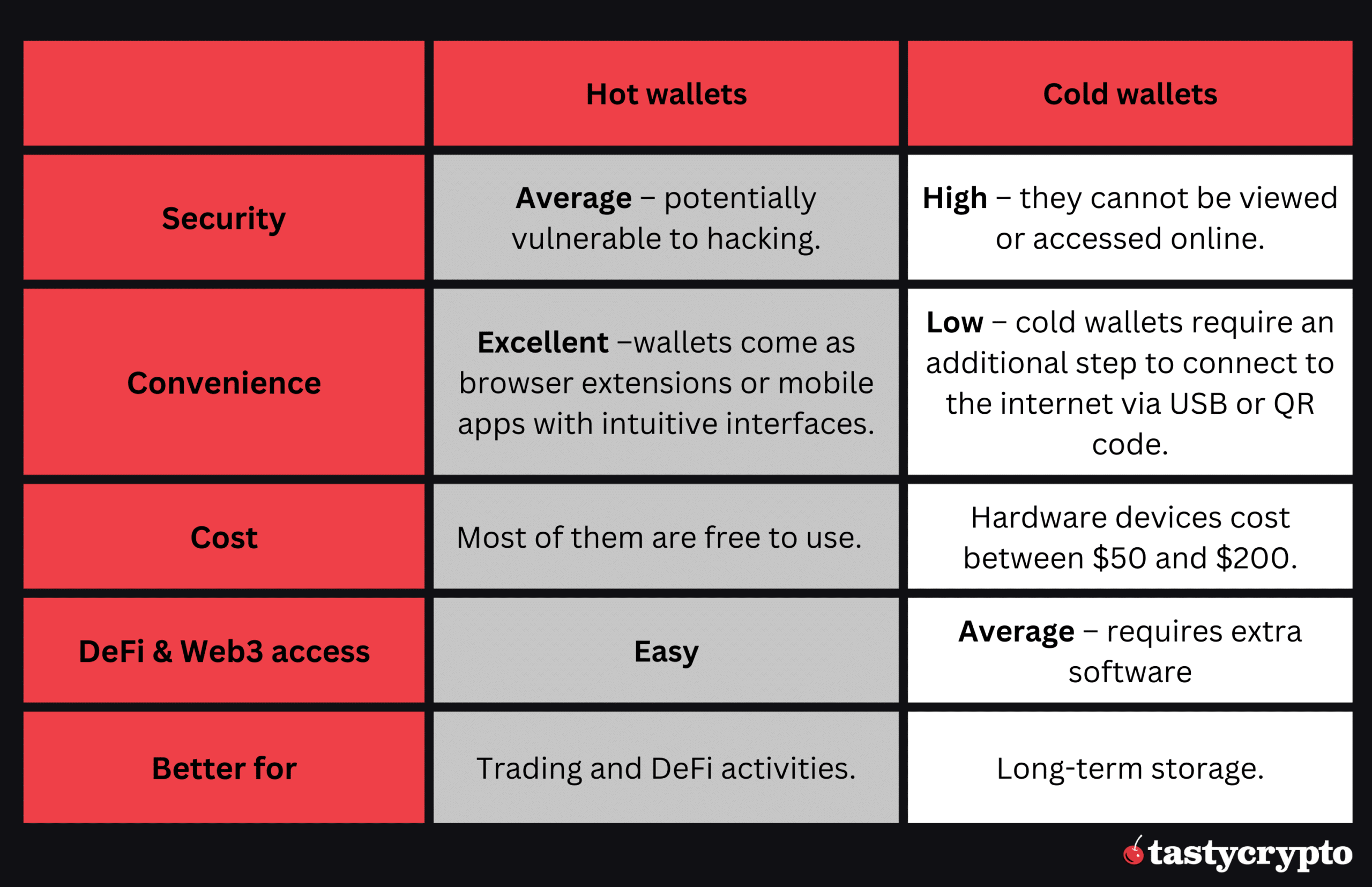
Hot Wallets:
-
Connected to the internet for easy access
-
Enable quick transactions and trading
-
Suitable for daily spending amounts
-
Higher vulnerability to online threats
-
Examples: mobile apps, browser extensions, web wallets
Cold Wallets:
-
Stored offline, disconnected from internet
-
Provide maximum security against cyber attacks
-
Best for long-term holding and large amounts
-
Require physical access for transactions
-
Examples: hardware wallets, paper wallets, air-gapped devices
Think of hot wallets like a checking account—convenient for regular transactions but not where you’d store your life savings.
Cold wallets function more like a safety deposit box—secure storage for valuable assets that you don’t need to access frequently.
The best practice involves using both: a hot wallet for small amounts and regular transactions, and a cold wallet for the majority of your Bitcoin holdings.
This approach balances security with practical usability.
Custodial vs Non-Custodial Wallets
The distinction between custodial and non custodial wallets determines who controls your private keys—and ultimately, who controls your Bitcoin.
This fundamental difference has major implications for security, responsibility, and true ownership.
Non-Custodial Wallets:
-
You control your private keys
-
Complete ownership and responsibility for funds
-
No third-party risk or dependency
-
“Not your keys, not your crypto” principle applies
-
Examples: Exodus, Best Wallet, hardware wallets
Custodial Wallets:
-
Third-party service manages your keys
-
Easier account recovery and customer support
-
Risk of exchange bankruptcy or seizure
-
Similar to traditional banking model
-
Examples: exchange wallets, some mobile apps
Recent history has demonstrated the risks of custodial solutions.
The collapse of major exchanges like BlockFi and Voyager in 2022-2023 resulted in billions of dollars in customer funds being frozen or lost entirely.
Users who trusted these platforms discovered they had no recourse when the companies filed for bankruptcy.
Pros of Non-Custodial Wallets:
-
Complete control over your funds
-
No counterparty risk
-
Privacy and anonymity
-
Immune to exchange failures
Cons of Non-Custodial Wallets:
-
Full responsibility for security
-
No customer support for lost keys
-
Higher technical learning curve
-
Risk of permanent loss if backup fails
For anyone serious about Bitcoin ownership, non custodial crypto wallet solutions are essential. The peace of mind that comes with true ownership outweighs the additional responsibility for most users.
How to Choose the Best Bitcoin Wallet for You
Selecting the best crypto wallet requires careful consideration of your specific needs, technical expertise, and security requirements.
Rather than following generic recommendations, you should evaluate several key factors that will determine which wallet best serves your particular situation.
Security Needs Assessment:
Your security requirements depend heavily on the amount of Bitcoin you plan to store and your risk tolerance. For holdings under $1,000, a reputable software wallet like Exodus or Best Wallet provides adequate security.
However, for larger amounts—especially those representing significant portions of your wealth—a hardware wallet becomes essential.
Consider your technical expertise honestly. If you’re comfortable with technology and understand concepts like private key management and seed phrase security, you can safely use any wallet type.
Beginners should prioritize wallets with strong customer support and recovery options.
Usage Frequency:
Daily traders and active DeFi participants need hot wallets that allow quick access for processing transactions.
The convenience of instant transfers and in-app exchanges outweighs the security trade-offs for funds you actively use.
Long-term holders—often called “HODLers”—benefit most from cold storage solutions. I
f you plan to store Bitcoin for months or years without accessing it, the extra steps required for hardware wallet transactions provide valuable security without impacting usability.
Amount Stored:
Financial advisors recommend following the “hot wallet rule”: never store more in a hot wallet than you can afford to lose entirely.
This typically means keeping only 5-10% of your total Bitcoin holdings in software wallets for convenience.
For amounts exceeding $10,000, hardware wallets become mandatory rather than optional.
The $49-149 cost of a quality hardware wallet represents insignificant insurance for protecting substantial holdings.
Technical Expertise Required:
Beginners should prioritize wallets with excellent user interfaces and comprehensive customer support.
Coinbase Wallet offers familiar branding and integration, while Exodus provides educational resources and intuitive design.
Advanced users might prefer open-source solutions like Trezor or technical wallets that support advanced features like Lightning Network integration, multi-signature setups, or interaction with decentralized applications.
Budget Considerations:
While software wallets cost nothing upfront, they may have higher transaction fees and less security. Hardware wallets require initial investment but often provide better long-term value:
-
Tangem Wallet: $50-70 (innovative design)
Supported Features:
Modern Bitcoin wallets offer features beyond basic storage:
-
Staking capabilities for earning rewards on supported cryptocurrencies
-
DeFi integration for accessing decentralized finance protocols
-
NFT support for managing digital collectibles
-
Multi-chain functionality for managing diverse crypto portfolios
-
Lightning Network support for instant, low-cost Bitcoin payments
Choose wallets that support the features you’ll actually use. There’s no point paying for advanced functionality you’ll never access.
The decision tree for wallet selection often follows this pattern: Start with your security requirements, consider your usage patterns, evaluate your technical comfort level, then select specific features and budget accordingly.
Most users end up with multiple wallets—a hardware wallet for secure storage and a software wallet for convenience.
Security Best Practices for Bitcoin Wallets
Protecting your Bitcoin requires more than just choosing a secure wallet—it demands implementing comprehensive security practices that protect against both technical vulnerabilities and human error.
The majority of Bitcoin losses stem from poor security practices rather than wallet vulnerabilities.
Private Key Protection:
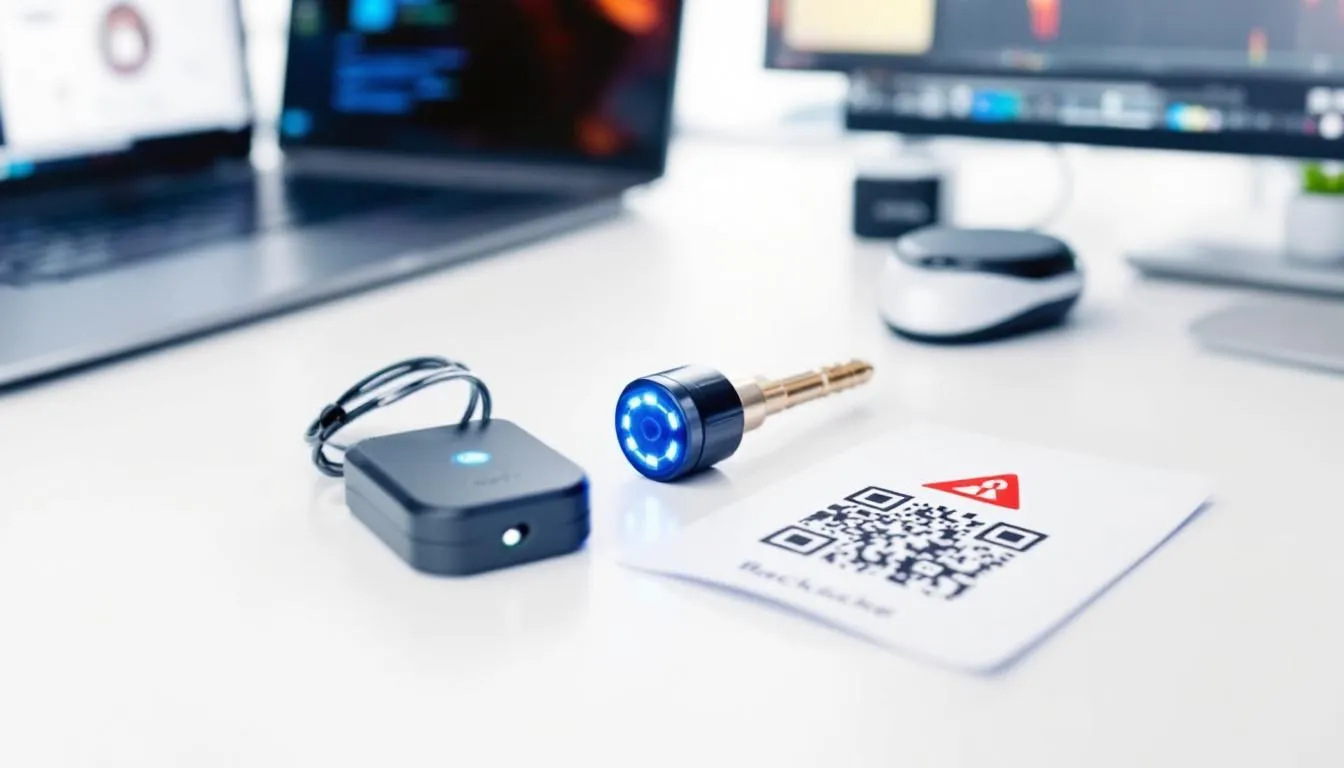
Your private keys represent complete control over your Bitcoin. Never store private keys online, in email, cloud storage, or digital photos.
Keeping your private keys safe is essential—store them offline or use secure hardware wallets to prevent hacking and scams. Physical storage in secure locations provides the only truly safe approach.
For software wallets, ensure your device has updated antivirus software and avoid accessing your wallet on public WiFi networks.
Use dedicated devices for large holdings—a separate phone or computer used only for cryptocurrency transactions.
Seed Phrase Backup:
Modern wallets generate 12 or 24-word recovery phrases using the BIP39 standard. These seed phrases allow complete wallet recovery and must be protected with extreme care:
-
Write seed phrases on waterproof, fireproof materials
-
Store copies in multiple secure locations
-
Never photograph or digitally store seed phrases
-
Consider using metal backup plates for long-term storage
-
Test your backup by recovering a small test wallet
Some users implement advanced techniques like Shamir’s Secret Sharing, splitting seed phrases across multiple locations where no single location contains enough information to compromise the wallet.
Two Factor Authentication:
Software wallets should always enable two factor authentication when available.
Use authentication apps like Google Authenticator or Authy rather than SMS-based authentication, which remains vulnerable to SIM swap attacks.
Hardware wallets provide inherent two-factor authentication—you need both the device and your PIN to access funds. Some newer models add biometric authentication for additional security layers.
Avoiding Phishing Scams:
Cryptocurrency phishing has become increasingly sophisticated, with scammers creating exact replicas of legitimate wallet websites and apps. Always:
-
Download wallets directly from official sources
-
Verify website URLs carefully for typos or suspicious domains
-
Bookmark official wallet websites to avoid search engine ads
-
Never click wallet links in emails or social media
-
Verify software signatures when available
Phishing attacks often target users during high-stress situations, like when Bitcoin prices are volatile or when users are trying to quickly access their funds.
Hardware Wallet Verification:
Purchase hardware wallets exclusively from manufacturer websites or authorized retailers. Third-party sellers, especially on platforms like eBay or Amazon, have been known to sell compromised devices with pre-loaded malware.
When your hardware wallet arrives:
-
Verify packaging hasn’t been tampered with
-
Check that the device requires you to generate a new seed phrase
-
Update firmware to the latest version immediately
-
Test with small amounts before transferring large holdings
Regular Security Updates:
Wallet software requires regular updates to address security vulnerabilities and add new features. Enable automatic updates when possible, but verify updates come from legitimate sources.
Monitor wallet provider security announcements and industry news for potential vulnerabilities affecting your chosen wallet. Security researchers regularly discover and report issues that require user action.
The most secure approach involves multiple layers of protection: strong passwords, hardware-based authentication, offline seed phrase storage, and regular security audits of your setup.
Remember that in the non-custodial world, you are your own bank—with all the associated responsibilities and rewards.
How to Set Up Your Bitcoin Wallet
Setting up a Bitcoin wallet properly from the beginning prevents future security issues and ensures you can always recover your funds.
The process varies significantly between hardware and software wallets, but both require careful attention to security details.
Setting Up Hardware Wallets
Hardware wallet setup involves several critical steps that must be completed correctly to ensure maximum security. We’ll walk through the process for the most popular hardware wallets.
Ledger Nano X Setup Process
Step 1: Unboxing and Initial Verification
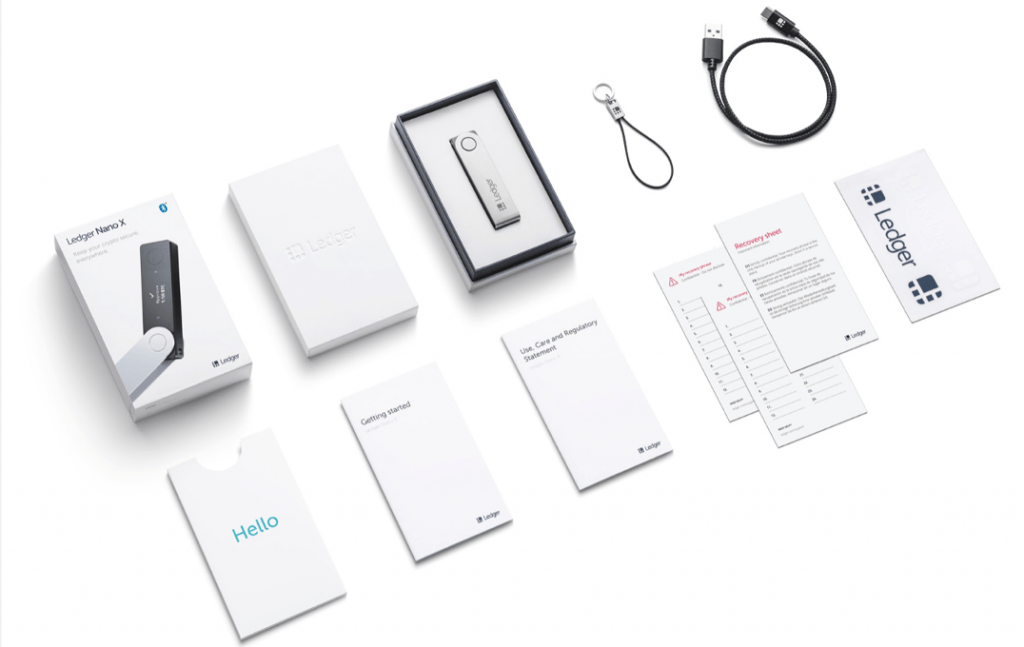
When your Ledger arrives, verify the package hasn’t been tampered with. The box should include the device, USB cable, recovery sheets, and instruction booklet.
Check that the device appears unused—if it’s already configured or displays any pre-loaded seed phrases, contact Ledger support immediately.
Step 2: Install Ledger Live Software
Download Ledger Live from the official Ledger website onto your computer or mobile device. This software manages your device and provides access to supported cryptocurrencies.
Verify the software signature to ensure you’re installing legitimate software.
Step 3: Device Initialization
Power on your Nano X and choose “Set up as new device.” The device will guide you through creating a PIN—choose something you’ll remember but that others can’t easily guess.
The PIN prevents unauthorized access if your device is lost or stolen.
Step 4: Seed Phrase Generation
The device will generate your 24-word recovery seed phrase. Write each word on the provided recovery sheets in the exact order shown.
Never photograph this process or store the words digitally. This seed phrase represents complete access to your funds—anyone with these words can steal your Bitcoin.
Step 5: Seed Phrase Verification
Ledger will ask you to confirm several words from your seed phrase to ensure you’ve recorded them correctly. This verification step is crucial—if you’ve written any words incorrectly, you won’t be able to recover your wallet later.
Step 6: Install Bitcoin App
Using Ledger Live, install the Bitcoin application on your device. This enables Bitcoin storage and transaction capabilities. The device can hold multiple cryptocurrency apps simultaneously.
Trezor Setup Process
The Trezor setup process follows similar security principles but uses the Trezor Suite software interface.
Device Initialization: Connect your Trezor to your computer and navigate to the official Trezor website. The setup wizard will guide you through device verification and initial configuration.
PIN Creation: Create a PIN using Trezor’s unique randomized number pad system. This scrambled layout prevents PIN discovery through keylogger software.
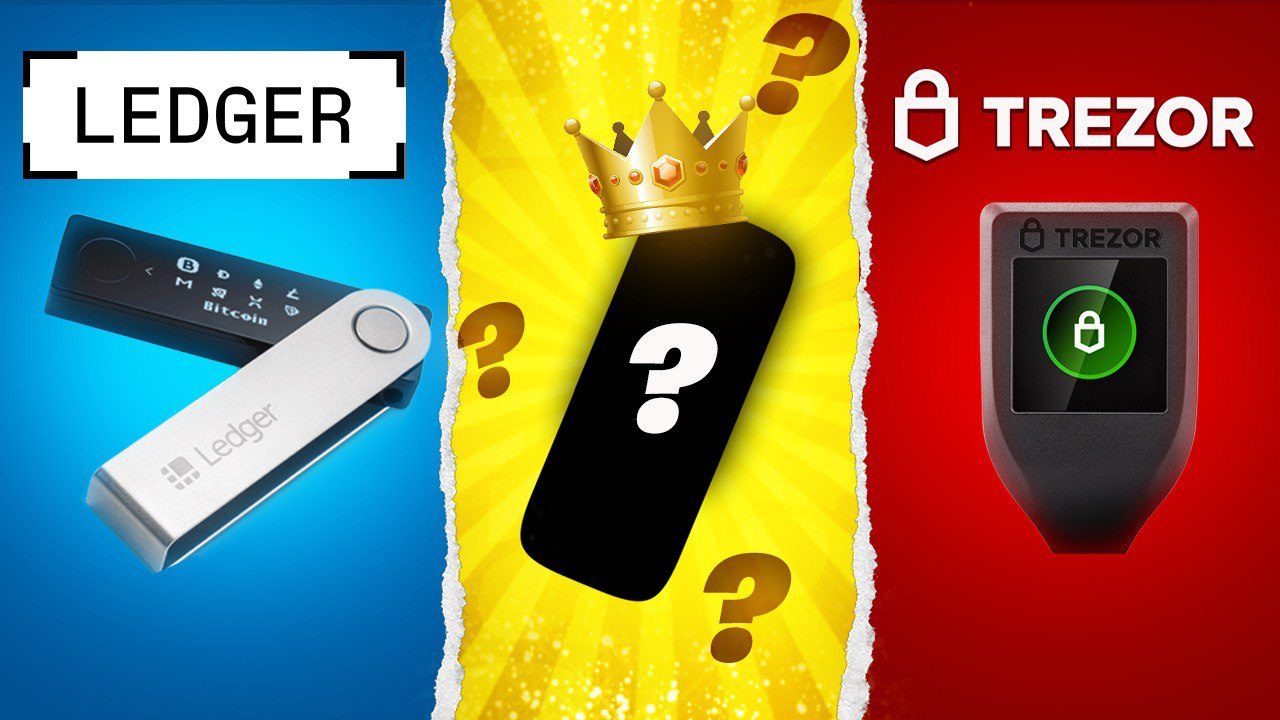
For more information on other crypto hardware wallet options and reviews, see this detailed unboxing and comparison resource.
Recovery Seed Backup: Generate and record your 12 or 24-word seed phrase. Trezor provides high-quality backup cards for seed phrase storage.
Firmware Updates: Install the latest firmware to ensure your device has all security patches and features.
Setting Up Software Wallets
Software wallet setup typically involves less hardware manipulation but requires careful attention to device security and backup procedures.
Exodus Wallet Setup
Step 1: Download and Installation
For a comprehensive comparison of hardware wallets, including additional information about similar devices, check out this Cool Wallet S review.
Visit the official Exodus website and download the appropriate version for your operating system. Exodus supports Windows, Mac, Linux, iOS, and Android platforms.
The wallet now offers support for new languages, including Russian and Polish, making it more accessible for a global user base.
Avoid downloading from third-party sites that might distribute compromised software.
Step 2: Wallet Creation
Launch Exodus and choose “Create new wallet.” The software will generate your 12-word seed phrase automatically. Unlike hardware wallets, software wallets create seed phrases on your computer, which means your device must be secure during this process.
Step 3: Secure Backup
Record your seed phrase on physical materials and store them securely. Since software wallets generate seeds on internet-connected devices, the backup process becomes even more critical than with hardware wallets.
Step 4: Enable Security Features
Set up a strong password for wallet access and enable any available security features. Some versions of Exodus support hardware wallet integration for enhanced security.
Step 5: First Bitcoin Transaction
Send a small test amount to your new wallet to verify everything works correctly. This test transaction confirms your wallet is properly set up and that you can receive Bitcoin.
Best Wallet Setup
Best Wallet’s MPC technology eliminates traditional seed phrases, creating a different setup experience.
Account Creation: Download Best Wallet from official app stores and create your account. The MPC system generates key shares across multiple secure locations.
Security Verification: Complete identity verification and set up biometric authentication if your device supports it.
Multi-Wallet Management: Configure separate wallets for different cryptocurrencies or purposes. Best Wallet excels at managing multiple assets from one interface.
Backup Configuration: While Best Wallet doesn’t use traditional seed phrases, set up their social recovery system for account access protection.
Coinbase Wallet Configuration

The Coinbase Wallet offers straightforward setup with optional integration to Coinbase exchange accounts.
App Installation: Download the official Coinbase Wallet app from your device’s app store. Verify you’re downloading the correct app—scammers often create fake versions with similar names.
Wallet Creation: Choose “Create new wallet” and generate your seed phrase. Coinbase Wallet operates as a non custodial wallet despite the company’s custodial exchange services.
Security Settings: Enable device passcode protection and biometric authentication. Consider enabling cloud backup for seed phrase recovery, though this introduces additional risks.
Exchange Integration: Optionally link your Coinbase exchange account for easy transfers between custody and non-custodial storage.
Proper wallet setup forms the foundation of Bitcoin security. Take time to understand each step thoroughly rather than rushing through the process. The few extra minutes spent during setup can prevent catastrophic losses later.
Download Exodus Wallet – Start in 5 Minutes
Bitcoin Wallet Fees and Costs
Understanding the fee structures associated with different Bitcoin wallets helps you choose options that align with your budget and usage patterns.
Wallet fees generally fall into several categories: upfront costs, transaction fees, and additional service charges.
Hardware Wallet Pricing:
Hardware wallets require upfront investment but often provide better long-term value for security-conscious users. Current pricing for popular models includes:
|
Wallet Model |
Price |
Key Features |
Best For |
|---|---|---|---|
|
Trezor One |
$49 |
Open-source, basic features |
Budget-conscious beginners |
|
Ledger Nano S Plus |
$79 |
Secure element, modern interface |
Balanced feature set |
|
Ledger Nano X |
$149 |
Bluetooth, mobile compatibility |
Active traders |
|
Tangem Wallet |
$50-70 |
NFC technology, card format |
Ultra-portable storage |
These upfront costs represent one-time investments that can protect much larger holdings. When storing thousands of dollars in Bitcoin, a $149 hardware wallet represents less than 1% insurance cost for most holdings.
Software Wallet Costs:
Most software wallets are free to download and use, generating revenue through transaction fees and optional services rather than upfront charges. However, “free” wallets still involve costs:
-
Network transaction fees: All Bitcoin transactions require network fees regardless of wallet choice
-
Exchange fees: In-app trading typically costs 0.5% to 3% per transaction
-
Premium features: Some wallets charge for advanced features like priority support
Network Fees Explanation:
Bitcoin network fees fluctuate based on network congestion and transaction complexity. These fees go to Bitcoin miners, not wallet providers, and vary significantly:
-
Low congestion periods: $1-5 per transaction
-
High congestion periods: $20-50+ per transaction
-
Lightning Network: Fractions of a cent for instant transfers
Some wallets are specifically designed to offer low fees for transactions, swaps, and transfers, making them especially attractive for cost-conscious users.
Wallets that support Lightning Network transactions can dramatically reduce costs for frequent, smaller payments. BlueWallet and Exodus both offer Lightning integration for fast, cheap transactions.
Swap and Exchange Fees:
Many wallets include built-in exchange features that allow users to swap crypto without leaving the wallet interface. While convenient, these services typically charge higher fees than dedicated exchanges:
-
Exodus: 2-5% depending on transaction size and currency pair
-
Trust Wallet: 1-3% plus network fees
-
Coinbase Wallet: 1% plus spread on most transactions
-
Best Wallet: 0.5-2% across supported networks
However, some wallets emphasize low fees for swaps and transfers, providing a more affordable option for users who frequently exchange tokens.
For large transactions, using dedicated exchanges often provides better rates despite the inconvenience of transferring funds.
Total Cost Comparison:
When calculating total wallet costs, consider your expected usage patterns:
Low-frequency, high-security user:
-
Hardware wallet: $149 upfront
-
Annual transaction fees: $50-100
-
Total first-year cost: $199-249
Active trader:
-
Software wallet: Free upfront
-
Monthly trading fees: $50-200
-
Annual transaction fees: $200-500
-
Total annual cost: $650-2,900
Lightning Network user:
-
Software wallet with Lightning: Free upfront
-
Annual Lightning fees: $5-20
-
Occasional on-chain fees: $50
-
Total annual cost: $55-70
The most cost-effective approach often involves using multiple wallets: hardware wallets for long-term storage and software wallets for active use.
This strategy minimizes both security risks and transaction costs.
Advanced Bitcoin Wallet Features
Modern Bitcoin wallets extend far beyond basic storage and transfer capabilities.
Advanced features can significantly enhance security, functionality, and earning potential for sophisticated users who understand the associated risks and benefits.
In particular, modern wallets make it easy to send crypto securely and efficiently, offering features like address books for streamlined transfers and transparent gas fee breakdowns to ensure users know exactly what they are paying.
Multi-Signature Support:
Multi-signature (multisig) wallets require multiple private key signatures to authorize transactions, providing institutional-grade security for high-value holdings.
This technology prevents single points of failure and protects against both external attacks and internal theft.
Common multisig configurations include:
-
2-of-3 setup: Three keys generated, any two required for transactions
-
3-of-5 setup: Five keys generated, any three required for transactions
-
Corporate setups: Multiple executives must approve large transactions
Electrum and Sparrow Wallet offer excellent multisig support for advanced users, while Casa provides managed multisig services for those who want the security benefits without technical complexity.
DeFi Integration:
Bitcoin’s integration with decentralized finance protocols has expanded dramatically through Layer 2 solutions and wrapped Bitcoin (WBTC) on other blockchains.
Modern wallets increasingly support these advanced features:
-
Wrapped Bitcoin lending: Earn yield by lending WBTC on platforms like Aave or Compound
-
Lightning Network payments: Instant, low-cost transfers using payment channels
-
Bitcoin-backed stablecoins: Use Bitcoin as collateral for dollar-pegged tokens
-
Cross-chain bridges: Move Bitcoin value between different blockchain networks
MetaMask and Phantom Wallet excel at DeFi interactions, while specialized Bitcoin wallets like BlueWallet focus specifically on Lightning Network functionality.
Lightning Network Support:
The Lightning Network represents Bitcoin’s solution for instant, low-cost payments.
This Layer 2 technology enables micropayments and high-frequency transactions that would be impractical on Bitcoin’s main blockchain.
Lightning-enabled wallets allow:
-
Instant payments: Transactions complete in milliseconds
-
Minimal fees: Typically less than one cent per transaction
-
Micropayments: Send fractions of a cent economically
-
Always-on connectivity: Receive payments even when offline
BlueWallet provides the most comprehensive Lightning experience, offering both custodial and non-custodial Lightning wallet options.
Phoenix and Breez offer excellent mobile Lightning experiences for everyday payments.
Portfolio Tracking:
Advanced wallets provide comprehensive portfolio management across multiple assets and blockchains. These features become essential for users managing diverse cryptocurrency holdings:
-
Real-time price tracking: Monitor values across multiple exchanges
-
Transaction history analysis: Detailed records for tax reporting
-
Performance analytics: Track gains, losses, and portfolio allocation
-
Multi-wallet aggregation: Combine holdings from multiple wallets and exchanges
Exodus excels at portfolio tracking with its intuitive interface and broad asset support. Best Wallet’s multi-chain capabilities make it ideal for users managing assets across different blockchain networks.
Passkey Protection and Biometric Authentication:
The latest wallet security innovations focus on eliminating traditional passwords and seed phrases through modern authentication methods:
-
Biometric authentication: Fingerprint and face recognition for device access
-
Passkey integration: Hardware-based authentication using device secure elements
-
MPC technology: Multi-party computation eliminates single points of failure
-
Social recovery: Trusted contacts help recover accounts without seed phrases
Best Wallet and Zengo lead in implementing these next-generation security features, making cryptocurrency more accessible while maintaining high security standards.
WalletConnect Integration:
WalletConnect enables secure connections between wallets and decentralized applications without exposing private keys.
This technology allows safe interaction with DeFi protocols, NFT marketplaces, and other blockchain applications.
WalletConnect features include:
-
Secure dApp connections: Interact with applications without trusting them with keys
-
Transaction approval: Review and approve each transaction individually
-
Multi-wallet support: Use different wallets for different applications
-
Cross-chain compatibility: Connect to applications across multiple blockchains
Most modern software wallets support WalletConnect, with MetaMask and Trust Wallet offering the most extensive dApp ecosystem compatibility.
These advanced features represent the cutting edge of Bitcoin wallet technology.
While not every user needs these capabilities, understanding them helps inform long-term wallet decisions as the cryptocurrency ecosystem continues evolving.
Common Bitcoin Wallet Problems and Solutions
Even the most secure Bitcoin wallets can experience technical issues or user errors that temporarily prevent access to funds.
Understanding common problems and their solutions can save significant stress and money when issues arise.
Lost Access Recovery:
Lost access scenarios represent the most anxiety-inducing wallet problems, but most situations have solutions if you’ve maintained proper backups.
Forgotten Wallet Passwords:
-
Use seed phrase recovery to restore wallet on new device
-
Try password variations if you remember partial information
-
Check password managers for stored credentials
-
Consider professional password recovery services for high-value wallets
Lost or Damaged Hardware Wallets:
-
Purchase replacement device from same manufacturer
-
Use original seed phrase to restore complete wallet access
-
All funds remain secure on blockchain regardless of device status
-
Consider purchasing backup hardware wallet to minimize downtime
Corrupted Software Wallets:
-
Uninstall and reinstall wallet software
-
Restore using seed phrase backup
-
Check for software updates that might resolve corruption issues
-
Move to different wallet software using same seed phrase if necessary
Recovery success depends entirely on having proper seed phrase backups. Without these backups, lost access typically means permanent fund loss.
Transaction Stuck in Mempool:
Bitcoin transactions can become “stuck” when network congestion exceeds transaction fee rates. Several solutions can resolve these situations:
Fee Bumping (RBF):
-
Use Replace-by-Fee to increase transaction fees
-
Most modern wallets support RBF functionality
-
Higher fees encourage faster miner inclusion
-
Available only if original transaction enabled RBF flag
Child Pays for Parent (CPFP):
-
Send new transaction that depends on stuck transaction
-
Include high fees on new transaction to incentivize miners
-
Miners must include both transactions together
-
Useful when RBF isn’t available
Wait for Natural Resolution:
-
Most stuck transactions eventually confirm or expire
-
Bitcoin mempool typically clears during low-activity periods
-
Transactions may return to sender after 72+ hours
-
Patience often resolves issues without additional costs
Wallet Synchronization Issues:
Software wallets occasionally lose synchronization with the Bitcoin network, displaying incorrect balances or failing to detect transactions.
Common Solutions: See recovery seed backups for cryptocurrency security.
-
Restart wallet software completely
-
Check internet connection stability
-
Verify wallet is connecting to reliable Bitcoin nodes
-
Clear wallet cache and resynchronize from scratch
-
Update to latest wallet software version
Manual Node Connection:
-
Connect to specific Bitcoin nodes for faster sync
-
Use trusted nodes from wallet provider
-
Consider running personal Bitcoin node for maximum reliability
-
Verify node authenticity to avoid malicious connections
Hardware Wallet Connection Problems:
Hardware wallets sometimes experience connectivity issues that prevent normal operation.
USB Connection Issues:
-
Try different USB cables and ports
-
Install or update device drivers on computer
-
Test device on different computers
-
Check for physical damage to device or cables
Software Compatibility:
-
Update wallet management software (Ledger Live, Trezor Suite)
-
Restart both computer and hardware device
-
Check operating system compatibility
-
Disable antivirus software temporarily during connection
Firmware Update Problems:
-
Never disconnect device during firmware updates
-
Use official recovery procedures if update fails
-
Contact manufacturer support for device recovery
-
Firmware issues rarely affect fund security due to seed phrase backups
Phishing Protection:
Cryptocurrency phishing attacks have become increasingly sophisticated, targeting users through fake websites, malicious apps, and social engineering.
Identifying Phishing Attempts:
-
Verify exact website URLs before entering sensitive information
-
Check for SSL certificates and secure connections
-
Be suspicious of urgent messages requesting immediate action
-
Never click wallet-related links in emails or social media
Protection Strategies:
-
Bookmark official wallet websites to avoid fake sites
-
Enable two-factor authentication on all accounts
-
Use dedicated devices for cryptocurrency activities
-
Verify app downloads come from official sources
-
Maintain updated antivirus software on all devices
Recovery from Phishing:
-
Immediately transfer funds to new wallet with fresh seed phrase
-
Report phishing sites to wallet providers and authorities
-
Monitor compromised accounts for unauthorized activities
-
Consider professional security audit if large amounts were at risk
The key to resolving most Bitcoin wallet problems lies in preparation: maintaining secure seed phrase backups, using reputable wallet software, and understanding basic troubleshooting procedures.
When in doubt, contact official wallet support rather than attempting complex recovery procedures that might worsen problems.
Get Expert Support – Buy Trezor with 2-Year Warranty
Bitcoin Wallet Security in 2025
The cryptocurrency security landscape continues evolving rapidly, with 2025 bringing both advanced threats and innovative protection mechanisms.
Understanding current security trends helps Bitcoin holders stay ahead of emerging risks while taking advantage of new protective technologies.
Latest Security Threats:
Cybercriminals have significantly upgraded their Bitcoin-targeting capabilities, employing artificial intelligence and machine learning to create more convincing attacks.
AI-Powered Phishing:
-
Machine learning creates personalized phishing emails based on social media profiles
-
Deep fake video calls impersonate wallet support representatives
-
AI-generated websites perfectly mimic legitimate wallet interfaces
-
Automated social engineering attacks target multiple users simultaneously
Sophisticated Scams:
-
Fake wallet updates distributed through compromised websites
-
Malicious browser extensions that appear identical to legitimate wallets
-
SIM swap attacks targeting two-factor authentication systems
-
Supply chain compromises affecting hardware wallet manufacturing
New Attack Vectors:
-
Quantum computing threats to traditional cryptographic security
-
IoT device exploitation for wallet access
-
Cloud storage vulnerabilities exposing backup data
-
Social media manipulation for seed phrase discovery
New Security Features:
Wallet developers have responded to evolving threats with innovative security technologies that significantly enhance user protection.
Multi-Party Computation (MPC):
MPC technology represents the most significant advancement in wallet security, eliminating traditional seed phrase vulnerabilities.
Instead of storing private keys in single locations, MPC distributes key components across multiple parties or devices.
Benefits include:
-
No single point of failure for key compromise
-
Elimination of seed phrase backup requirements
-
Distributed trust model prevents insider attacks
-
Seamless recovery processes without technical complexity
Best Wallet and Zengo lead MPC implementation, providing institutional-grade security with consumer-friendly interfaces.
Passkey Authentication:
Passkey technology leverages device-level secure elements to replace traditional passwords and two-factor authentication. This approach provides several advantages:
-
Phishing-resistant authentication using cryptographic proof
-
Biometric verification without storing biometric data remotely
-
Hardware-level security preventing remote key extraction
-
Cross-device synchronization through trusted cloud providers
Hardware Security Module Integration:
Advanced wallets increasingly integrate with dedicated security hardware beyond traditional hardware wallets:
-
Mobile secure elements for transaction signing
-
TPM (Trusted Platform Module) chips in computers
-
Hardware security keys for multi-factor authentication
-
Secure enclaves in modern processors
Insurance Coverage:
Institutional-grade insurance has begun extending to individual Bitcoin holders through advanced wallet providers.
Coverage Types:
-
Fireblocks-backed protection for qualifying accounts
-
Smart contract insurance for DeFi interactions
-
Exchange insurance for integrated trading features
-
Professional liability coverage for managed services
Coverage typically applies to:
-
Provider security breaches and internal fraud
-
Smart contract vulnerabilities in integrated services
-
Third-party service failures affecting wallet functionality
-
Technology errors in automated systems
Individual user errors—like lost seed phrases or phishing victims—generally remain uncovered, emphasizing the continued importance of personal security practices.
Regulatory Compliance:
Evolving cryptocurrency regulations significantly impact wallet choice and security considerations in 2025.
Know Your Customer (KYC) Requirements:
-
Increased reporting requirements for large transactions
-
Identity verification for certain wallet features
-
Geographic restrictions on advanced capabilities
-
Enhanced monitoring for suspicious activities
Data Privacy Regulations:
-
GDPR compliance for European users
-
Enhanced data protection requirements
-
Limited data retention policies
-
User rights regarding personal information
Security Standards:
-
Mandatory security audits for wallet providers
-
Standardized security certifications
-
Regular penetration testing requirements
-
Incident reporting obligations
Future-Proofing Bitcoin Storage:
Preparing for continued security evolution requires selecting wallets and implementing practices that remain effective against emerging threats.
Quantum-Resistant Preparation:
-
Monitor developments in post-quantum cryptography
-
Implement multi-layered security strategies
-
Maintain flexibility for rapid security updates
Technology Evolution Readiness:
-
Select wallets with active development communities
-
Prioritize open-source solutions for transparency
-
Maintain multiple wallet options for risk distribution
-
Stay informed about security research and developments
The security landscape in 2025 demands proactive approaches that balance cutting-edge protection with practical usability.
Users who stay informed about emerging threats and adopt advanced security features position themselves for long-term Bitcoin security success.
Frequently Asked Questions
Can I store other cryptocurrencies besides Bitcoin?
Yes, most modern wallets support multiple cryptocurrencies. Hardware wallets like the Ledger Nano X support over 5,500 digital assets, while software wallets like Exodus support millions of cryptocurrency tokens across 50+ blockchain networks.
Multi-asset support makes these wallets ideal for diversified portfolios. However, Bitcoin-specific wallets like BlueWallet focus exclusively on Bitcoin and Lightning Network functionality.
What happens if I lose my hardware wallet?
Losing your hardware wallet doesn’t mean losing your Bitcoin. Your recovery phrase provides complete access to your funds through any compatible wallet.
Simply purchase a replacement hardware wallet, enter your original seed phrase during setup, and regain full access to your funds.
This recovery process works across different hardware wallet brands that follow BIP39 standards.
Are mobile Bitcoin wallets safe?
Mobile Bitcoin wallets offer reasonable security for smaller amounts but involve greater risks than hardware solutions.
Quality mobile wallets like Trust Wallet and Best Wallet implement strong encryption and security features.
However, mobile devices face constant internet connectivity, app vulnerabilities, and physical theft risks. Use mobile wallets for convenience amounts you’re comfortable potentially losing.
How much Bitcoin should I keep in a hot wallet?
Security experts recommend keeping only amounts you can afford to lose entirely in hot wallets.
This typically means 5-10% of total holdings for most users. If you own $10,000 in Bitcoin, keeping $500-1,000 in a hot wallet for convenience while storing the remainder in cold storage represents prudent risk management.
Adjust this percentage based on your personal risk tolerance and usage patterns.
Can I use multiple Bitcoin wallets? For guidance on choosing and securing wallets, check out these product reviews on Bitcoin Lockup.
Using multiple Bitcoin wallets is not only possible but recommended for enhanced security and functionality. Many users maintain hardware wallets for long-term storage, software wallets for daily transactions, and exchange wallets for active trading.
This multi-wallet strategy balances security with convenience while providing backup options if one wallet experiences problems.
Do I need different wallets for different amounts?
Yes, amount-based wallet selection significantly improves security. Use hardware wallets for substantial holdings (typically $1,000+), software wallets for moderate amounts needed for regular transactions, and exchange wallets for small trading amounts.
This tiered approach ensures appropriate security levels for different risk categories while maintaining practical access to funds.
What’s the difference between storing Bitcoin and storing other cryptocurrencies?
Bitcoin storage principles apply broadly to other cryptocurrencies, but specific implementation varies. Bitcoin wallets often support multiple cryptocurrencies through the same seed phrase and private key derivation.
However, some cryptocurrencies require specialized wallets for unique features like smart contracts, staking, or specific consensus mechanisms. Multi-currency wallets like Exodus handle these differences automatically.
How do transaction fees work across different wallets?
Transaction fees consist of network fees (paid to miners/validators) and optional wallet service fees. Network fees remain constant regardless of wallet choice, but vary based on network congestion and transaction complexity.
Wallet service fees apply to features like in-app exchanges, with rates ranging from 0.5% to 3%. Hardware wallets typically charge no service fees, while software wallets may charge transaction fees for premium features.
Can I recover a wallet if I lose both my device and backup?
Recovery becomes impossible if you lose both your primary device and seed phrase backup. This situation represents permanent fund loss in the non custodial world—there’s no customer service that can restore access.
Some newer wallets implement social recovery systems using trusted contacts, but traditional seed phrase-based wallets provide no recovery options without backups.
This underscores the critical importance of secure, redundant backup storage.
What’s the safest way to backup my wallet?
The safest backup approach involves multiple copies stored in different secure locations. Write seed phrases on waterproof, fireproof materials like metal backup plates.
Store copies in different geographic locations—such as your home safe and bank safety deposit box. Never store backups digitally or photograph them.
Some users split seed phrases across multiple locations using Shamir’s Secret Sharing for additional protection against theft while maintaining recovery capability.
Conclusion
Choosing the best wallet for bitcoins requires balancing security, convenience, and features based on your specific needs and circumstances.
Hardware wallets like the Ledger Nano X and Trezor One provide unmatched security for long-term storage, while software wallets like Exodus and Best Wallet offer convenient access for daily transactions.
The key insights from our comprehensive analysis include:
-
Security first: Never store significant amounts in hot wallets beyond what you can afford to lose
-
Multiple wallets: Use different wallet types for different purposes and amounts
-
Proper backups: Secure seed phrase storage determines your ability to recover funds
-
Stay updated: Evolving threats require continuous attention to security best practices
-
Start small: Test new wallets with small amounts before transferring larger holdings
For most users, the optimal approach involves combining a hardware wallet for secure storage with a software wallet for convenience.
This strategy provides maximum security for your primary holdings while maintaining practical access for regular transactions.
As Bitcoin adoption continues growing and security threats evolve, staying informed about wallet technology and security practices becomes increasingly important.
The wallets we’ve reviewed represent the current state of the art, but the cryptocurrency space moves quickly.
Remember that in the world of non custodial wallets, you are your own bank.
This freedom comes with responsibility—but also with the peace of mind that your Bitcoin remains under your complete control.
Take time to implement proper security practices, maintain good backups, and choose wallets that match your technical comfort level and security requirements.
The investment in proper Bitcoin storage—whether through a $49 Trezor or a premium Ledger Nano X—represents essential insurance for your digital assets.
In a space where lost access means permanent loss, choosing the right wallet isn’t just about convenience—it’s about protecting your financial future.